
Is Cross-device Play Right for You

Skip to:

Cross-device play lets a single casino account to move fluidly between a smartphone, a tablet, and a desktop computer without forfeiting progress, balance, or bonuses. For players who appreciate flexibility, this capability transforms how they interact with a platform like Level Up Casino. Instead of being tied to one screen, they can initiate a session on a phone during a commute, move to a tablet on the couch, and later check results on a laptop, all within the same account. The Level Up Casino app is designed to facilitate this exact behavior, updating game history, wallet funds, and active promotions in real time. This article details how the feature works, which devices are compatible, how to download the app, and what to consider before embracing multi-device play. By the end, a reader will know whether cross-device play fits their habits and how to establish it securely.
Understanding Multi-device Play in Virtual Casinos
At its core, cross-device play signifies that a player’s entire casino profile, including cash balance, bonus credits, loyalty tier, and game history, is stored on a central server and accessed through a single login, no matter the hardware used. When someone starts the Level Up Casino app on an iPhone, logs in, and plays a few rounds of blackjack, then later accesses the same account on an Android tablet, the balance shows every wager and win instantly. There is no need to transfer funds or re-enter bonus codes. This architecture depends on real-time data synchronization, which the Level Up Casino platform processes automatically. The experience appears continuous, as if the player never switched devices. It also eradicates the risk of fragmented play, where different gadgets store separate, inconsistent records. visit today For anyone who uses more than one screen daily, this is a significant convenience.
Downloading and Setting Up the Level Up Casino App
Getting the App on iOS
Setting up the Level Up Casino app on an iPhone or iPad is a straightforward process that takes only a few minutes. The user opens the App Store, taps the search tab, and enters “Level Up Casino.” The official app appears with the recognizable logo and the developer name confirmed by Apple. After pressing “Get” and verifying with Face ID, Touch ID, or Apple ID password, the download starts automatically. Once the icon appears on the home screen, the app is ready to start. First-time users can either register a new account directly within the app or login with existing credentials. The app will request permission to send notifications; enabling this allows the player to obtain personalized bonus alerts and game updates. Because the app is offered through the App Store, all updates are managed automatically if the device’s settings permit, making sure that the latest security patches and game additions are always in place without manual intervention.
Getting the App on Android
Users of Android devices take a a bit distinct path as the Google Play Store may not feature casino apps in each market. The best way is to go to the official Level Up Casino website through the device’s browser. The site recognizes the Android operating system and shows a prominent download button for the APK file. Before selecting download, the user needs to navigate to the device’s security settings and turn on “Install from unknown sources” or “Allow from this source,” according to the Android version. Once the APK file ends downloading, selecting it launches the installation wizard. The system could present a warning about installing apps from outside the Play Store; this is standard and safe as long as the file was downloaded from the official Level Up Casino domain. After installation, the app icon shows up in the app drawer. The user can then disable the unknown sources setting for extra security. The app will look for updates on launch and prompt the user to download new versions when available.
Installation Tips and Issue Resolution
Most setups finish without problems, though occasional glitches may happen. Should the iOS app not download, checking available storage space and confirming a reliable Wi-Fi connection often solves the problem. On Android, a parsing error is the most frequent issue, which generally suggests the APK file was damaged during download; removing the file and re-downloading it from the official site resolves this. The “App not installed” alert can be caused by conflicting app signatures or low storage. Wiping the cache of the package installer, turning the device off and on, and making sure there is at least 200 MB of free internal storage usually helps. Players should also check that they are not trying to install an older version over a newer one. Should the error continue, temporarily disabling any security software that blocks installations from unknown sources can make a difference. Level Up Casino’s support team can offer direct help if these steps do not fix the issue, but most cases are solved by following this procedure.
The way Account Syncing Operates at Level Up Casino
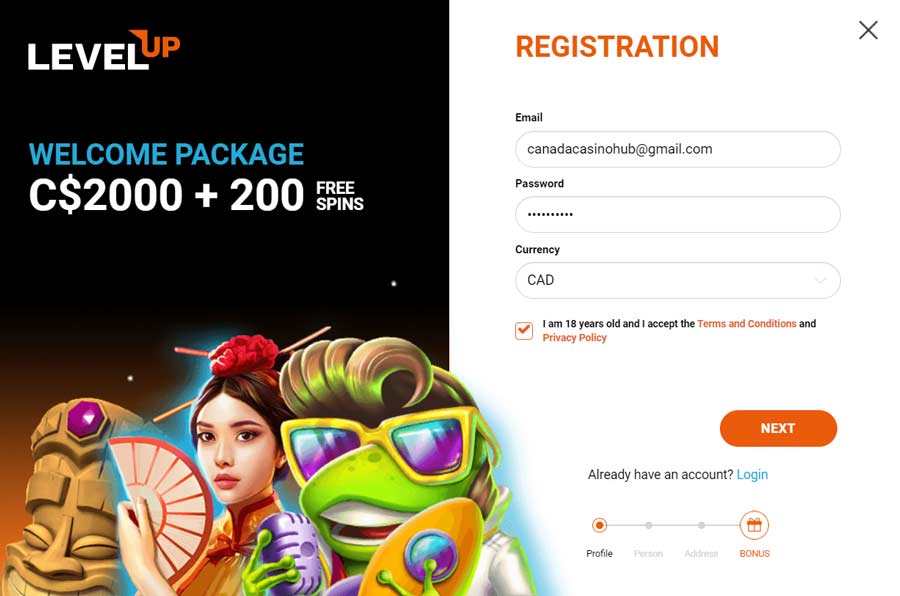
Setting up an account at Level Up Casino is a one-time process. A novice user provides an email address, chooses a password, and if desired sets up two-factor authentication. Once verified, that account becomes the main key for all platforms. Each deposit, withdrawal, bet, and bonus claim is logged in real time, so a free spins offer redeemed on a phone in the morning is instantly available on a tablet in the afternoon. The wallet balance is a single pool of funds, removing any need to split a bankroll between devices. Aside from balances, responsible gaming settings also synchronize across devices. A deposit limit, loss limit, or session time reminder set on the desktop site is applied on the mobile app automatically. If a player activates a 24-hour time-out, it works universally, logging in from another phone or tablet still shows the block. This unified approach to safer gambling tools demonstrates that cross-device play is not just about convenience; it is also about preserving the player’s well-being across their entire digital footprint.
Compatible Devices and Hardware Requirements
Apple Devices
The Level Up Casino app supports iPhones and iPads operating on iOS 13.0 or later. This encompasses a variety of devices, from the iPhone 6s up to the newest releases, and includes all iPad Air, iPad Mini, and iPad Pro models that run that operating system version. The app is delivered through the official Apple App Store, which assures that every installation undergoes scanning for malware and satisfies Apple’s strict guidelines. Users can look for “Level Up Casino” directly in the App Store or follow a link from the casino’s website. Once installed, the app takes up a reasonable amount of storage, typically under 150 MB, and receives regular updates that introduce new games, security patches, and performance improvements. The interface is optimized for the respective screen sizes, with buttons and menus sized correctly for touch interaction. Face ID and Touch ID are available for rapid and protected authentication, adding an extra layer of convenience for Apple users.
Android Phones and Tablets
Those on Android need a smartphone operating on edition 8.0 (Oreo) or higher to install the Level Up Casino app. As many casino apps are not allowed on the Google Play Store in various regions, Level Up Casino makes available the Android application as a immediate APK download from its authorized website. This process requires the user to turn on installation from unknown sources in their device settings before moving forward. The APK file is digitally signed and kept current to align with the latest platform enhancements. It operates on smartphones and tablets from major manufacturers such as Samsung, Xiaomi, OnePlus, and Google Pixel, as long as the operating system fulfills the minimum requirement. The installation package is compact, usually around 80-100 MB, and extra game assets are fetched as needed to conserve space. The Android app supports fingerprint and face unlock if the hardware allows, and it works with the device’s notification system to alert users about latest promotions and game releases.
Speed and Hardware Considerations
Minimum Device Recommendations
To operate the Level Up Casino app without frustration, a device needs to meet baseline specifications. For iOS, any iPhone 6s or newer with iOS 13 will suffice, but an iPhone 8 or later delivers a noticeably smoother experience. On Android, a phone with a quad-core processor running at 1.8 GHz or higher and 2 GB of RAM can run most slot and table games. Tablets gain from slightly more memory, 3 GB is ideal for split-screen multitasking if the user wants to keep the casino app open alongside other applications. Storage requirements are minimal, with the core app requiring less than 150 MB, though players who download many game assets may require up to 500 MB of free space over time. For live casino games, a consistent internet speed of at least 5 Mbps is advised to prevent stream interruptions. Devices that satisfy these thresholds will provide stable frame rates and responsive touch controls, ensuring that cross-device play remains smooth regardless of which gadget is in hand.
Core Features That Make Cross-device Play Seamless
The Level Up Casino app contains the full game library across all devices, so a player never encounters a situation where a favorite slot is accessible on desktop but absent on mobile. The portfolio contains thousands of titles from leading software providers, all adapted for touchscreens. Table games like roulette, blackjack, and baccarat modify their interfaces to smaller screens without sacrificing functionality. Live dealer streams are presented in high definition and allow real-time interaction with croupiers, with the chat feature fully working on phones and tablets. Deposit and withdrawal methods are the same across platforms, meaning a player can fund their account via an e-wallet on their phone and later ask for a cashout from a laptop. The transaction history is consolidated, so tracking spending is straightforward. Push notifications maintain the player notified about new game releases, limited-time promotions, and tournament invites, but they can be personalized or turned off to avoid disruption.
Loyalty rewards and VIP progress also sync in real time. Every wager counts to the player’s tier advancement, regardless of which device is used. A session on a tablet during lunch qualifies just as much as an evening session on a desktop. Bonus wagering requirements are tracked centrally, so a player can check exactly how much is needed to be wagered before a bonus changes to withdrawable cash. The app also supports biometric login on compatible devices, allowing fingerprint or facial recognition to replace password entry. This quickens access while keeping security. Another seamless feature is the ability to bookmark favorite games; a game tagged as a favorite on the phone is visible in the same list on the tablet. The overall design philosophy is to make the device transparent, the player engages with the games, and the platform manages the technical details of keeping everything in sync. bbc.co.uk
When Cross-device Play Proves to Be the Right Choice
Ideal Use Cases
Cross-device play excels for players having daily routines span multiple screens. A commuter with 30 minutes on a train can employ a smartphone to play a few quick rounds of slots, then carry on the same session on a tablet at home without skipping a step. Someone who enjoys live blackjack but favors the larger display of an iPad for the dealer interaction can start the game on a phone and effortlessly transition to the tablet when they reach a comfortable spot. The feature also helps those who share a household computer; instead of holding for the desktop to become available, they can compete on a personal mobile device and later review results or perform withdrawals from the shared computer. Tournament players consider cross-device play especially useful because they can follow leaderboard positions and place additional bets from anywhere, ensuring they never miss a timed event.
In Situations Where a Single Device Might Suffice
Not every player requires cross-device functionality. Someone who exclusively plays at home on a dedicated laptop or desktop may find little value in setting up the mobile app. If the gaming setup is static and the player has no inclination in gambling on the go, the browser-based platform delivers the same game selection and account features without the necessity to manage an additional app. Similarly, individuals who are careful about data usage or battery life on their phone might prefer to keep casino activity restricted to a single device that is always plugged in. In these cases, the Level Up Casino website provides a complete experience, and the player can simply ignore the mobile app. However, even for single-device users, creating an account still provides future flexibility; the option to go mobile remains available without any extra steps if habits change.
Keeping Your Account Safe Across Multiple Devices
Employing one account on several devices presents valid security questions, but Level Up Casino has implemented multiple safeguards. The platform uses SSL encryption for all data transmissions, securing that login credentials, financial transactions, and personal information are secured regardless of the device. Two-factor authentication adds an extra barrier: after entering the password, a unique code sent to the player’s email or generated by an authenticator app is required. This means that even if a password is compromised, unauthorized access is blocked. The account dashboard includes a section where the player can view all active sessions and devices that have recently accessed the account. From there, any unfamiliar device can be forcibly logged out with a single tap. This device management feature is especially useful if a phone is lost or stolen, as it allows the player to sever the connection immediately.
Players should also develop personal security habits levelupcasino.ca. Using a strong, unique password for the casino account, and not reusing it elsewhere, is the first line of defense. Enabling biometric login on the app adds convenience without sacrificing security, because the fingerprint or face data is stored locally on the device and never transmitted. It is wise to avoid logging into the casino account on public or shared devices, and to always log out when finished if the device is not personal. The Level Up Casino app includes an automatic logout feature that activates after a period of inactivity, which can be configured in the settings. By combining the platform’s built-in protections with mindful behavior, a player can enjoy cross-device flexibility without exposing their funds or personal data to unnecessary risk. The result is a secure, fluid gaming environment that moves with the player.